..
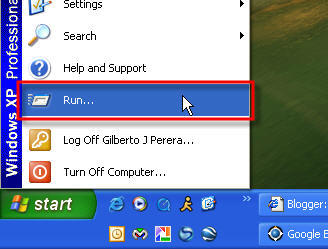
1. Click on ‘Run…’ from the ‘Start’ menu
1. Click on ‘Run…’ from the ‘Start’ menu
..
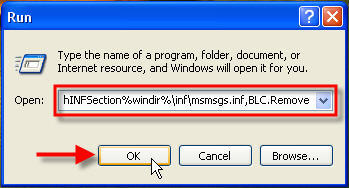
2. Type (or copy and paste) the following
RunDll32 advpack.dll,LaunchINFSection%windir%\inf\msmsgs.inf,BLC.Remove
Into the box and hit ‘Enter’
3. Restart your computer and you shall never see MSN Messenger again!


No comments:
Post a Comment